Systems⚓︎

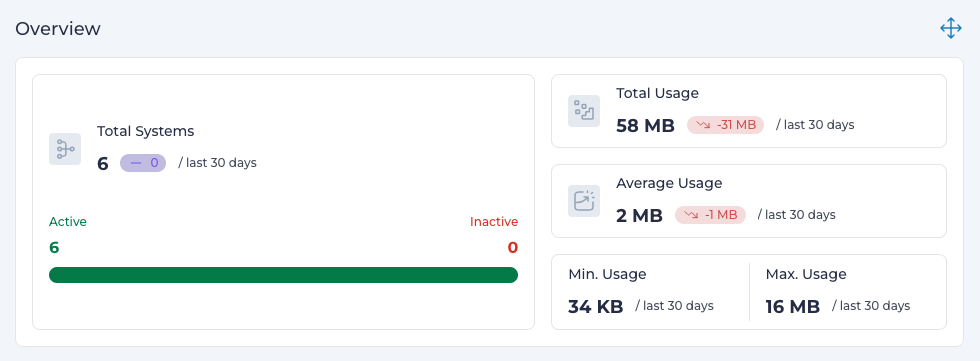
A System maps to a subnet in your network, creating logical divisions and ensuring secure separation for different types of Subscribers on a corporate network.
For instance, you can define one System for a subnet accessed by IoT devices and another for an employee subnet. Similarly, you might configure separate Systems for production and test environments.
Systems created in Expeto xControl are deployed as
- Packet Gateway (PGW) instances in 4G/LTE networks.
- User Plane Function (UPF) instances in 5G networks.
These Systems interface with local IT networks, enabling efficient and organized management of network resources.
Create a System⚓︎
Follow these steps to create a new System:
- Navigate to the Systems section in Expeto xControl.
- Enter a unique Name for the System.
- Maximum 64 characters, no special characters or spaces are allowed.
- Select Enable or Disable to activate or deactivate the System.
- Click Customer and choose a Customer from the list.
- The System will only be available for the selected Customer.
- Click Site(s) and select one or more applicable Sites.
- Enter the Network CIDR range for the System (e.g.,
100.64.9.0/24).- Each CIDR block must be unique and not conflict with other addresses in the broader network.
- Multiple CIDR blocks can be assigned to the same System if needed.
- Click Submit to save the new System.
Note
Your installation may include pre-configured Systems with assigned CIDR ranges. Permissions to create new Systems and assign CIDR ranges may not be granted, depending on your role.
Note
If your corporate network Gateway is using Network Address Translation (NAT), you can create two systems with overlapping ranges for the same network.
Create a Shared System⚓︎
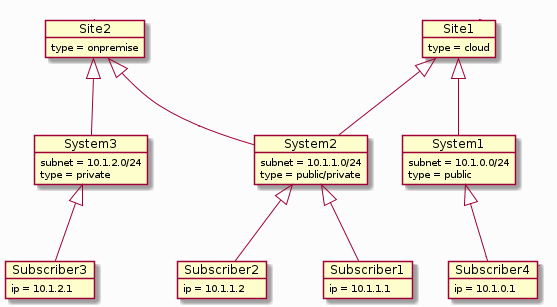
A Shared System enables seamless access for Subscribers across multiple Sites owned by the same Customer, even if the Sites are in different physical locations. This setup is ideal for ensuring consistent connectivity and unified management of network resources.
- Navigate to the Systems section in Expeto xControl.
- Choose one of the following options:
- Click New to create a new System.
- Select an existing System and click Edit.
- In the Sites field, select one available Site.
- Add additional Sites by selecting them from the list.
- Multiple Sites will be separated by commas in the configuration.
- Click Submit to save the Shared System.
Note
Shared Systems are only available for Sites under the same Customer. Ensure that all associated Sites belong to the same Customer before configuring the Shared System.
Move Subscribers Between Systems⚓︎
A Subscriber belongs to one System only, but can be moved between Systems by editing the Subscriber properties.
Set Extensions⚓︎
Extensions set at a System level are applied to all Subscribers belonging to the System unless explicitly overridden.